
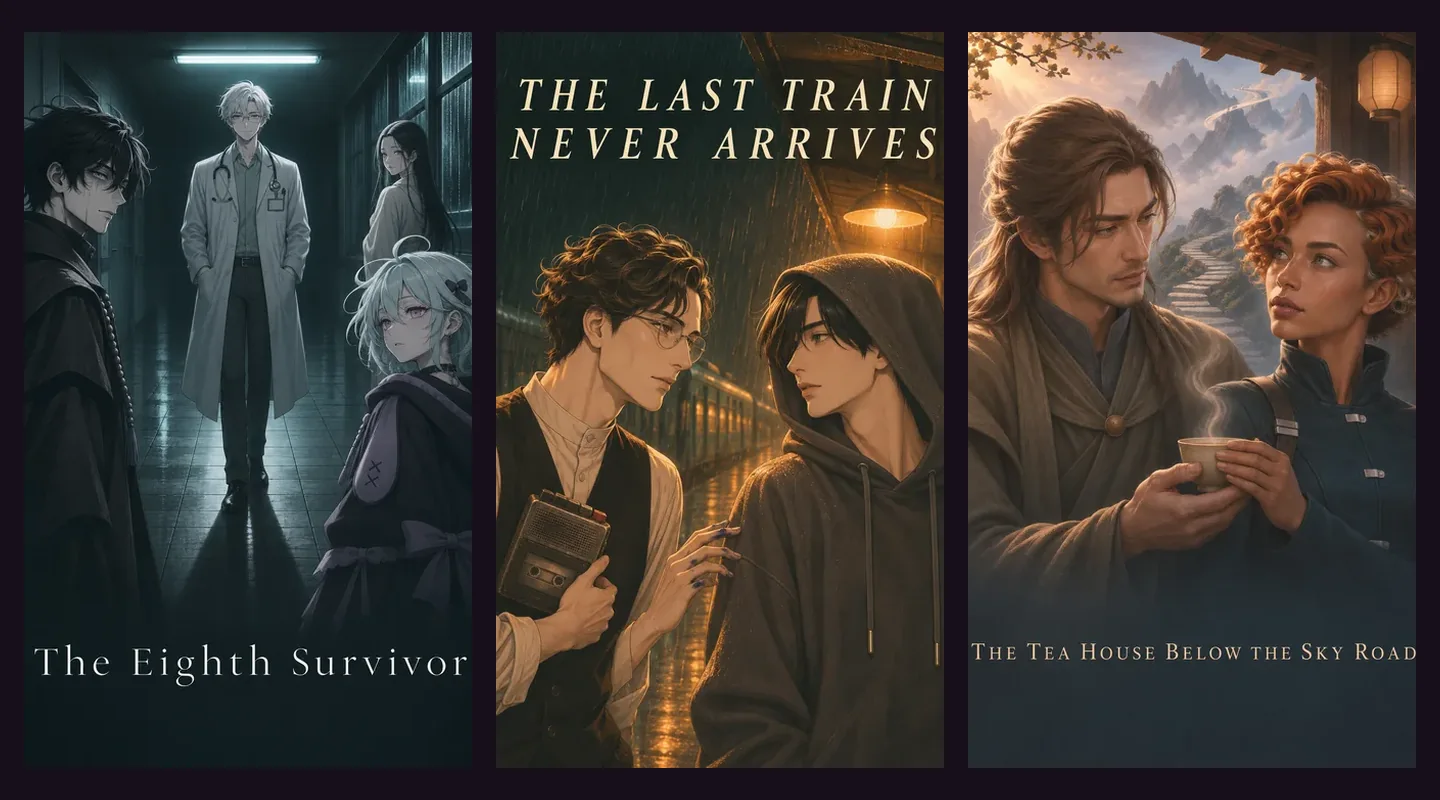
An AI visual novel combines illustrated storytelling with scenes that can respond to what you write. In Prelulu Anima, you choose a story and a character to play, read and hear the cast’s dialogue, then use a suggested choice or write your own action. The next story beat is generated in response.
The upgrade is a more personal place in the scene. A response can be your own sentence, a question you want answered, or an action that tests somebody’s intentions. Try Anima Stories if you want the visual novel rhythm with more room to improvise.
What an AI visual novel adds to the format
Visual novels bring prose, dialogue and artwork together, often with choices that guide the story. The format already includes works with voice acting, animation and elaborate routes. Anima’s distinguishing feature is not a claim that it invented those elements: it is the ability to generate the next beat around a move you write yourself.
Your role
- How it works in Anima
- Choose a member of the story’s cast to play.
The scene
- How it works in Anima
- Read narration and dialogue against illustrated settings.
The cast
- How it works in Anima
- Characters move and their spoken lines accompany the scene.
Your input
- How it works in Anima
- Use a suggested choice, an Act input or a Say input.
The response
- How it works in Anima
- A generated beat continues the story from that input.
Returning later
- How it works in Anima
- Continue a saved play or read its transcript in My stories.
| Part of the experience | How it works in Anima |
|---|---|
| Your role | Choose a member of the story’s cast to play. |
| The scene | Read narration and dialogue against illustrated settings. |
| The cast | Characters move and their spoken lines accompany the scene. |
| Your input | Use a suggested choice, an Act input or a Say input. |
| The response | A generated beat continues the story from that input. |
| Returning later | Continue a saved play or read its transcript in My stories. |
These parts work together. The story supplies a situation and cast, so a new player has something to respond to. The writing field gives a more experienced player room to make a precise move. You can switch between guided choices and your own input during the same play.
Act and Say give you two useful ways into a scene
Use Act when you want your character to do something: inspect a letter, leave the room, offer a deal or ask somebody to speak privately. Use Say when the exact wording matters. Keep the input focused on your character’s move and let the next beat reveal how the scene responds.
For a mystery, “I compare the handwriting in the register with the letter I brought” is an example of a concrete Act input. “Who else knew I would be here tonight?” is an example of Say. Neither promises that a clue exists or forces another character to confess; each gives the story a direction to explore.
You do not need to write a full scene. One clear intention is usually easier to follow than a paragraph that changes location, resolves the mystery and decides three other characters’ feelings at once.
Three different first plays
For a mystery: The Eighth Survivor
Seven stranded passengers take shelter in a clinic, but the register lists eight names. The extra signature matches your handwriting from twenty years ago. The opening gives you a specific inconsistency to investigate, making it a useful starting point for questions and small investigative actions.
For a time loop: The Last Train Never Arrives
A rainy-night train journey repeats, and someone else remembers it too. The premise gives you an immediate reason to compare experiences with another character. It is a way to try dialogue as part of a shared problem rather than beginning with an empty chat.
For fantasy: The Tea House Below the Sky Road
A teacher leaves a chart to an island where a wish costs a memory. Two people disagree about whether one of them has been there. Pick it if you want a fantasy setting with a choice already hiding inside the premise: what is worth knowing, and what would you give up?
Look for these titles on the Anima shelf. The examples describe their published introductions, not a walkthrough or a guarantee about the scenes your play will generate.
Create a premise without setting up a game engine
The Anima creator starts from a written premise. It prepares the story, cast, artwork and voices, then gives you a story to play when creation finishes. You do not need to install an engine or write code to use this flow.
A useful premise names a role, a setting and a problem: “I am the translator on a ship whose last passenger speaks a language nobody has heard for a century.” That gives the story a place to begin. Creating a story is different from exporting a finished game; Anima does not promise a downloadable game project or an editable branch diagram.
Saved play and generated-story limits
My stories keeps your recorded plays and their transcripts under your account. Continue opens the existing play; beginning anew gives you another play. A generated story can lose a detail, repeat a point or choose a direction you did not expect. It does not offer the same guarantee of a carefully authored route as a finished visual novel.
Anima Stories are currently free, with daily play limits and sign-in required to play or create. Use a desktop or mobile browser. The stories use English or Chinese text. Illustrated scenes and animated characters are the presentation; this is not a promise of a continuously generated live-action film or a VR world.
Play the next beat in your own words
Choose a story with a question you want answered, then take a role in finding out.