
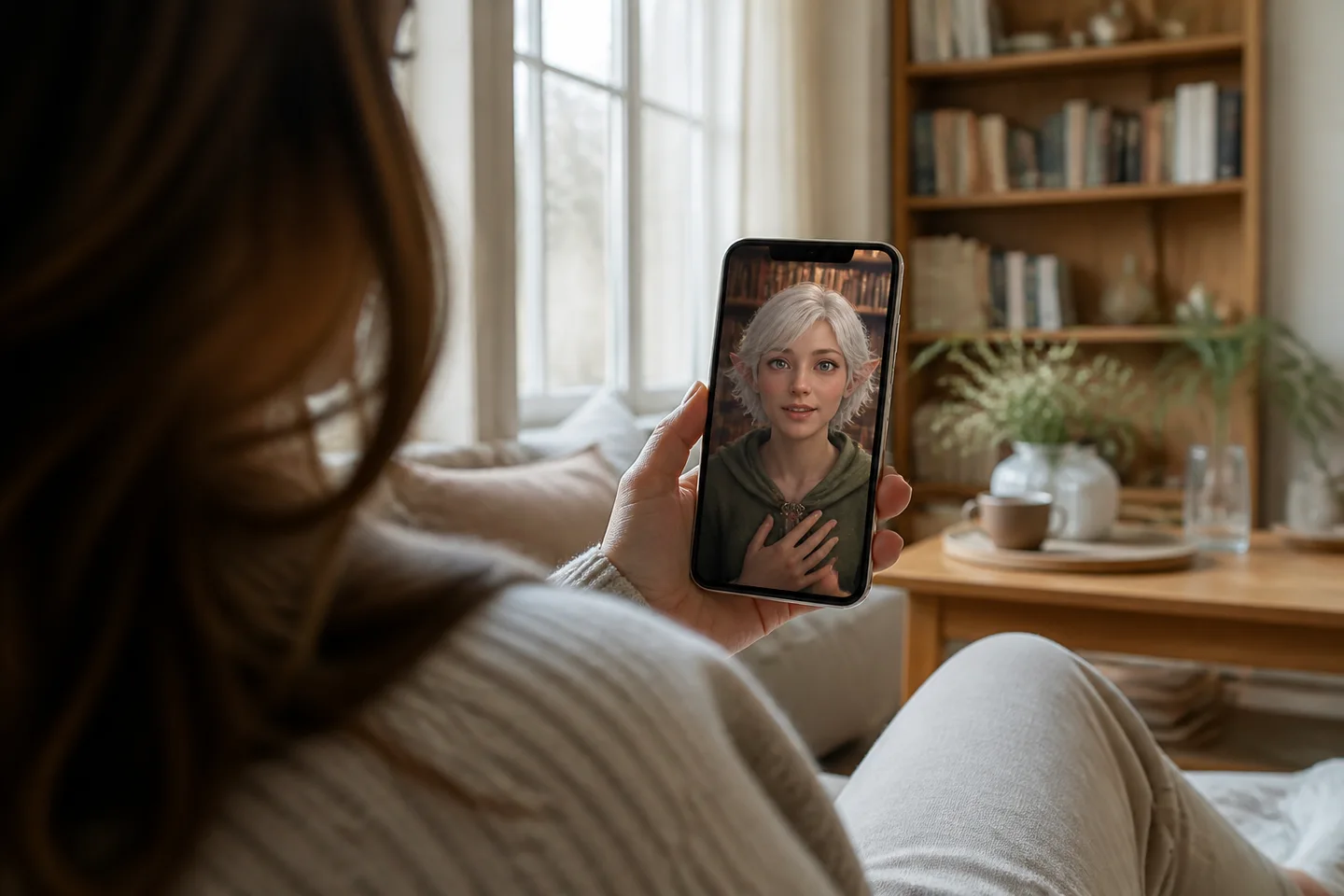
To video chat with an original character in 2026, you select a persona from an interactive catalog, set your narrative context in text chat, and launch a face-to-face video session. While traditional roleplay platforms keep fictional companions confined to static text logs, Prelulu connects original character dialogue directly to an expressive, lip-synced live video call where characters speak, react, and respond to interruptions in real time.
Understanding Live AI Character Video Chat in 2026
In 2026, video chat with an original character allows you to interact with a fictional persona through synchronized facial expressions and spoken voice rather than through static text logs. While standard conversational apps limit interactions to scrolling message feeds or stationary avatar portraits, Prelulu, an AI companion app with live video calls, enables real-time visual and auditory exchanges with original characters.
During an interactive call, the character's face, voice, and delivery carry visible emotion as they converse with you. The catalog leans toward romance and roleplay, though users frequently converse with characters for platonic company, creative brainstorming, or thinking through ideas out loud. Understanding the transition from text prompts to dynamic conversation helps you steer the mood and pacing of your calls from the very first greeting.
Step 1: Selecting an Original Character and Framing the Premise
Setting up a session on Prelulu in 2026 begins by browsing original AI characters in the catalog to match your preferred narrative dynamic. Rather than requiring you to configure complex underlying parameters from scratch, Prelulu provides pre-established fictional personas ranging from slow-burn romantic leads to sharp creative foils.
When choosing an original persona, review their conversational tone, backstory, and behavioral quirks. You direct the interaction through your dialogue, establishing whether the scene represents an ongoing dramatic story, an unhurried late-night discussion, or lighthearted banter. Because the experience is designed to follow your lead without mid-scene filter barriers, you establish the setting and boundaries entirely through how you introduce your conversational premise.
Step 2: Priming Conversational Context in Text Chat
Starting with a short text exchange on Prelulu in 2026 provides your selected original character with immediate context before you initiate a live video call. Prelulu includes a limited daily text allowance on its free plan, allowing you to establish specific scene locations, relational stakes, or creative prompts directly in the messaging thread.
Saved relationship details and recent chat context carry over into Prelulu calls, ensuring the character can acknowledge your text setup the moment the voice channel opens. For instance, sending a preliminary message about meeting up after a long journey gives the persona an immediate conversational hook. This initial priming eliminates awkward opening silences, allowing both participants to step smoothly into an active scenario.
Step 3: Launching the Live Call and Managing Camera Sharing
Launching an interactive call on Prelulu in 2026 requires tapping the call icon on the character's profile while managing your audio and camera preferences. Prelulu connects you to a real-time face-to-face stream where you immediately see and hear the character speak through proprietary live-avatar technology.
Your device will request microphone access so the character can hear your voice, but camera sharing remains optional and requires your explicit activation. If camera sharing is enabled, the character can visually perceive your environment and comment on objects you present, such as a notebook or a physical room view. If you keep your camera off, your video feed stays entirely private while you continue to watch and hear the character respond on screen.
Experiencing Real-Time Dialogue and Natural Interruptions
The core breakthrough of a Prelulu video call in 2026 is that conversations operate with real-time responsiveness, allowing you to interrupt and redirect dialogue naturally. Instead of forcing you to wait for a rigid turn-taking timer to expire, Prelulu lets you cut in, laugh, or add details mid-sentence while the character adjusts their delivery.
When you interrupt, the character's facial expression shifts from speaking to active listening, acknowledging your input before continuing. This fluid responsiveness produces a convincing conversational cadence whether you are exploring an intense story climax or casual conversation. To see how these mechanics compare across the companion landscape, examine our guide to AI character chat with a live video call.
Call Limits, Credit Costs, and Platform Comparison
Budgeting a video chat session on Prelulu in 2026 depends on whether you communicate via standard text messaging or live streaming calls. Prelulu offers a limited daily text allowance on the free tier, while live video and voice calls consume account credits, which can be viewed directly on the Prelulu pricing page.
Companion platforms vary significantly in how they handle live calling, camera permissions, and credit consumption. Prelulu publishes this comparison to outline documented specifications across services using verified data:
| Platform | Supported Call Modes | User Camera Input | Published Pricing Model |
|---|---|---|---|
| Prelulu | Live avatar video and voice calling | Optional camera sharing with user permission | Limited daily text allowance on free plan; calls use credits (Prelulu wallet) |
| Kindroid | Live Avatar Video with lip-sync and gestures (checked 2026-09-19) | Optional camera sharing requires foreground app on mobile (checked 2026-09-19) | Web sub $13.99/mo (checked 2026-09-02); Standard Live Video costs 2,000 audio credits/min, Premium costs 4,000 audio credits/min (checked 2026-09-19, kindroid.ai/v2/docs/voice-calls-and-video-calls/) |
| Character.AI | c.ai+ includes Unlimited voice calls (checked 2026-09-01); video calling consumer launch unverified (checked 2026-09-19) | No user camera input documented in supplied sources | c.ai+ costs $9.99 per month or $94.99 per year (checked 2026-09-01, character.ai/subscribe) |
| Replika | Voice calling; real-time video recognition gated to tier (checked 2026-09-01) | Real-time video recognition in Platinum tier (checked 2026-09-01) | Platinum tier required for video recognition; current prices shown in app/store (checked 2026-09-19, help.replika.com) |
| Nomi.ai | Voice call modes documented | Camera sharing unverified in supplied sources | US App Store plans: Launch Plan Monthly $9.99, Standard Plan $15.99 (checked 2026-09-01, apps.apple.com) |
For specific token allowances, daily voice allocations, or initial credit packages, consult the official Prelulu pricing page and in-app wallet. Running calls on transparent credits ensures you maintain complete control over your usage without unverified ongoing subscription commitments. Prelulu — where delulu begins.
Meet your AI character face to face
Choose or create a character for live video chat, roleplay, shared stories or company. Check the available call credits and plans before starting.