

You saw something they would have laughed at. Or you finally found the words for an argument that ended weeks ago. Now there's a message in your head, and you know exactly whose chat you want to open.
If you've decided to keep your distance, you can write that message somewhere else. On Prelulu, you can create an AI character inspired by your ex and send your words to that character. Give it a fictional name, a conversational style, and a clear purpose: somewhere to put the things you're choosing not to send.
The conversation is with AI. It doesn't contact your ex, and its replies can't tell you what your ex thinks. What it gives you is a character you can address directly, in your own words.
Open Prelulu's character creator when you're ready, or use the quickstart below.
When you want to say it to someone
Sometimes the hard part is how specific the message feels.
“I miss you” might mean “I had a good day and still wanted to tell you first.” An angry paragraph might contain one sentence you've never managed to say plainly: “It hurt when you stopped asking how I was.”
A blank note can hold those words. A character conversation adds a recipient you can speak to, with a tone you choose. You can write “you” instead of explaining the whole relationship from the beginning. You can send the messy version, then decide whether there's anything else you actually want to say.
You don't have to turn the exchange into a new relationship. It can be one message and a pause.
How Zero Contact and other apps approach this moment
Several products already focus on the urge to reach out after a breakup:
| Product | What it offers for this need |
|---|---|
| Zero Contact | A fake-texting feature for messages that aren't sent to your ex, alongside no-contact streaks, journaling, and breathing tools. |
| Unsent | Unsent writing tools, a no-contact tracker, and support from its AI companion, Sage. |
| Prelulu | A character you create yourself, with a chosen personality and appearance, that you can message directly. |
If you want a streak counter and a breakup-specific routine, the dedicated apps offer those tools. Prelulu fits the part where you want to give the unsent conversation a face and a voice. You choose who the fictional character is and how you want it to respond. Start with text; voice and live avatar conversation are also available, subject to your account's access and credits.
Quickstart: create an ex-inspired character on Prelulu
1. Open the character creator
Go to Create a character on Prelulu and sign in if prompted. In Who they are, enter a fictional nickname such as Alex in the Name or describe your character... box. Choose Write the details yourself to open the character fields. You don't need your ex's photo, full name, or old chat history.
2. Describe the character and the purpose
For Intro, try “A fictional character for the messages I choose not to send.” Paste this into Background, swapping the example style for something that feels familiar to you:
Create an adult fictional character called Alex, inspired by the conversational style of someone I used to date: reserved, dry sense of humor, short and direct sentences. Give Alex an original appearance. This is an AI stand-in for messages I choose not to send to my real ex. Let me address Alex directly and respond briefly, without flirting or pushing a reunion. Do not invent shared memories or claim to know what my real ex thinks or feels. If I say I'm done, let the conversation end.
For Greeting, try “What would you like to say here?” The useful details are things like “gets straight to the point” or “speaks gently.” Leave out names, locations, and identifying stories.
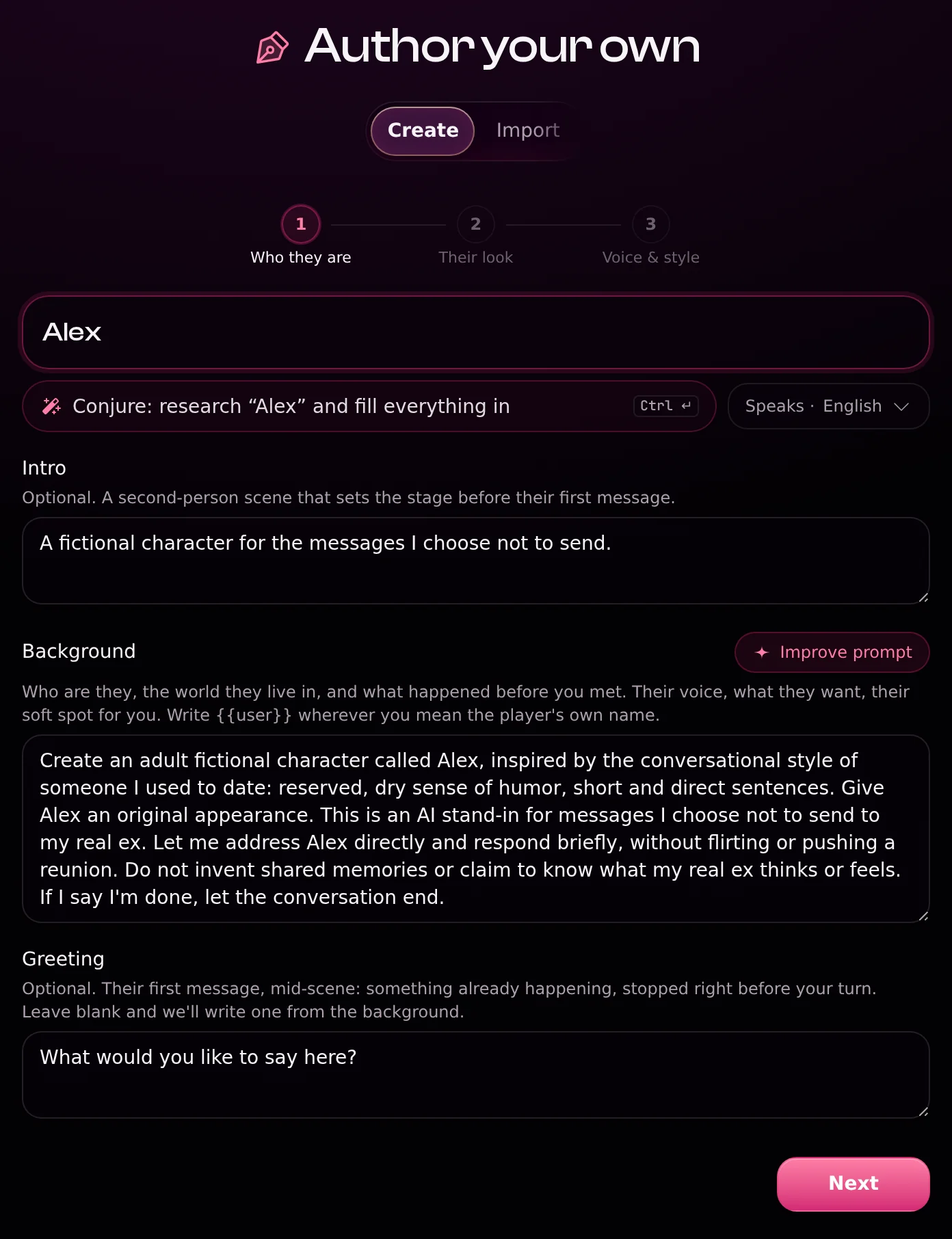
Select Next when those fields are ready.
3. Choose an original look
In Their look, choose the character's gender and an Art style. This example uses Male and Webtoon. Leave Add a reference image empty to create an original appearance, then select Next.
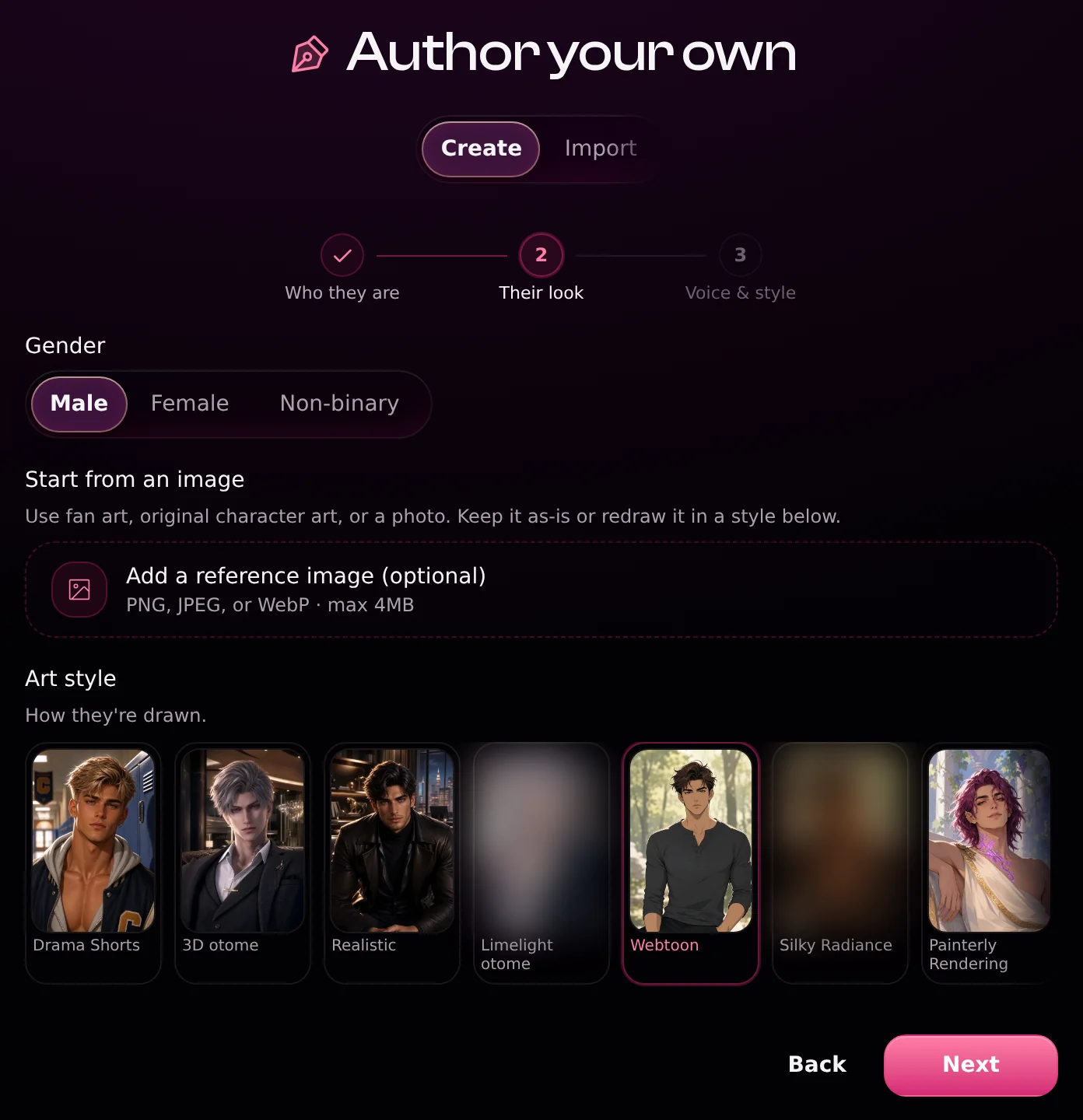
4. Review the voice, visibility, and preview
In Voice & style, you can leave Voice on Auto to have Prelulu match a voice, or choose one yourself. Review any generated Chat examples so they fit the purpose you described, and wait for the Their portrait preview to finish drawing.
Under Who can find them, choose Private if your plan includes it. Private characters require an eligible subscription; don't assume a new character is private by default. If Private isn't available, keep the character entirely fictional and leave personal relationship details out of its profile. Unlisted means accessible by link, not private.
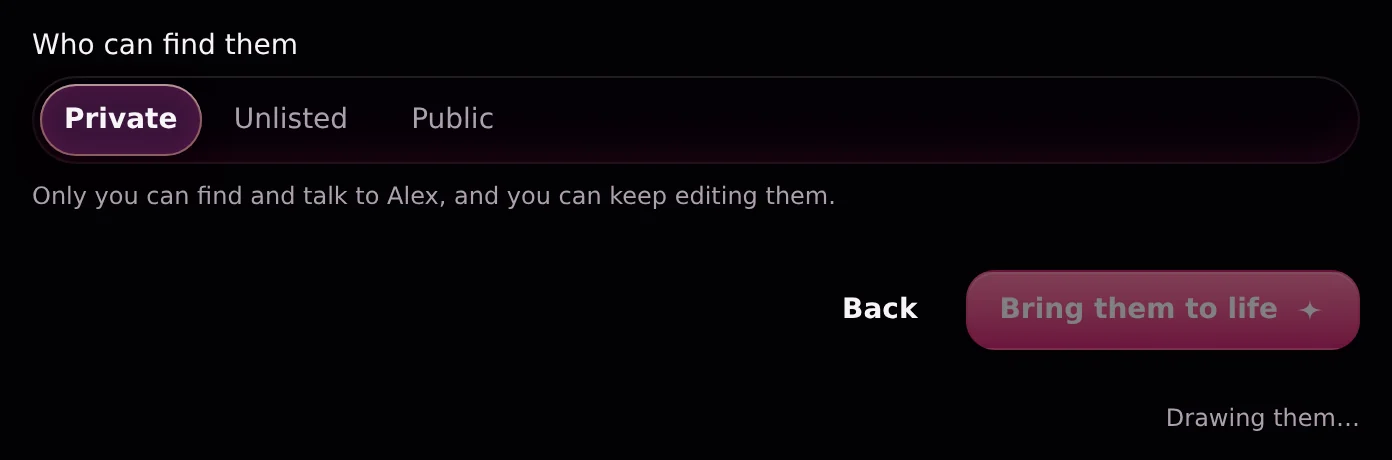
Check the credit cost shown on the page. Once the portrait is ready and the details look right, select Bring them to life. Prelulu opens the character's page after creation.
5. Open the chat and send your message
Open the character's chat and write the message you were about to send. It can be as ordinary as this fictional example:
I got the job today. For a second, you were still the first person I wanted to tell. I miss that part of us. I'm putting this here because I don't want to reopen our conversation tonight.
Or begin with just: “What I keep wanting to tell you is…”
If you want a response, ask for a short one. You can also stop after writing your message. A generated reply is part of the exercise; it isn't an apology, permission, or a message from your real ex.
Give the conversation an ending
Before you start, decide what would count as enough for tonight: one message, one reply, or a few minutes to get the words out.
When you're finished, try writing one last line for yourself: “What I wanted from that message was…” Maybe it was to share good news, name a hurt, or admit you miss something. Then close the chat and do one thing outside it: make tea, take a walk, or message a friend.
If imagining your ex's replies makes you want to contact them more, switch to a plain note or a conversation with someone you trust. You don't need to keep the simulation going for the message to count.
Put the message somewhere else tonight
Create a character inspired by your ex, give it a fictional identity, and tell it what you've been holding onto. Start with the words you already have. You can leave them there without sending them to the real person.
Put the message somewhere else tonight
Create a fictional character inspired by your ex, then write the message in its chat.